Search Tesla Megapack Publications search was updated real-time via Filemaker on:
Page | 030 Tesla BESS Powerhub User Manual
5.3.3 Add new users
During site commissioning, Powerhub Local UI will be set up by Tesla. One account will be created in the commissioning UI for Powerhub Pro. The profile associated with the account will have read-write permissions with control and monitoring access to the site.
The commissioning UI and the Powerhub Pro UI share the same credentials. The account credentials are transmitted to the customer.
In a future version of Powerhub Pro, the customer will have the possibility to have two separated accounts with a different set of permissions and credentials. Each account will have its own Username and Password. One account will have read-only, monitoring only permissions and the second one will have read-write, control and monitoring access. It will be the customer responsibility to provide Operators the adequate credentials. Contact your Tesla representative for additional details.
5.3.4 Login
Once the new account is provisioned by Tesla and the credential are transmitted to the customer. The operator can log in into Powerhub Pro.
Sign in
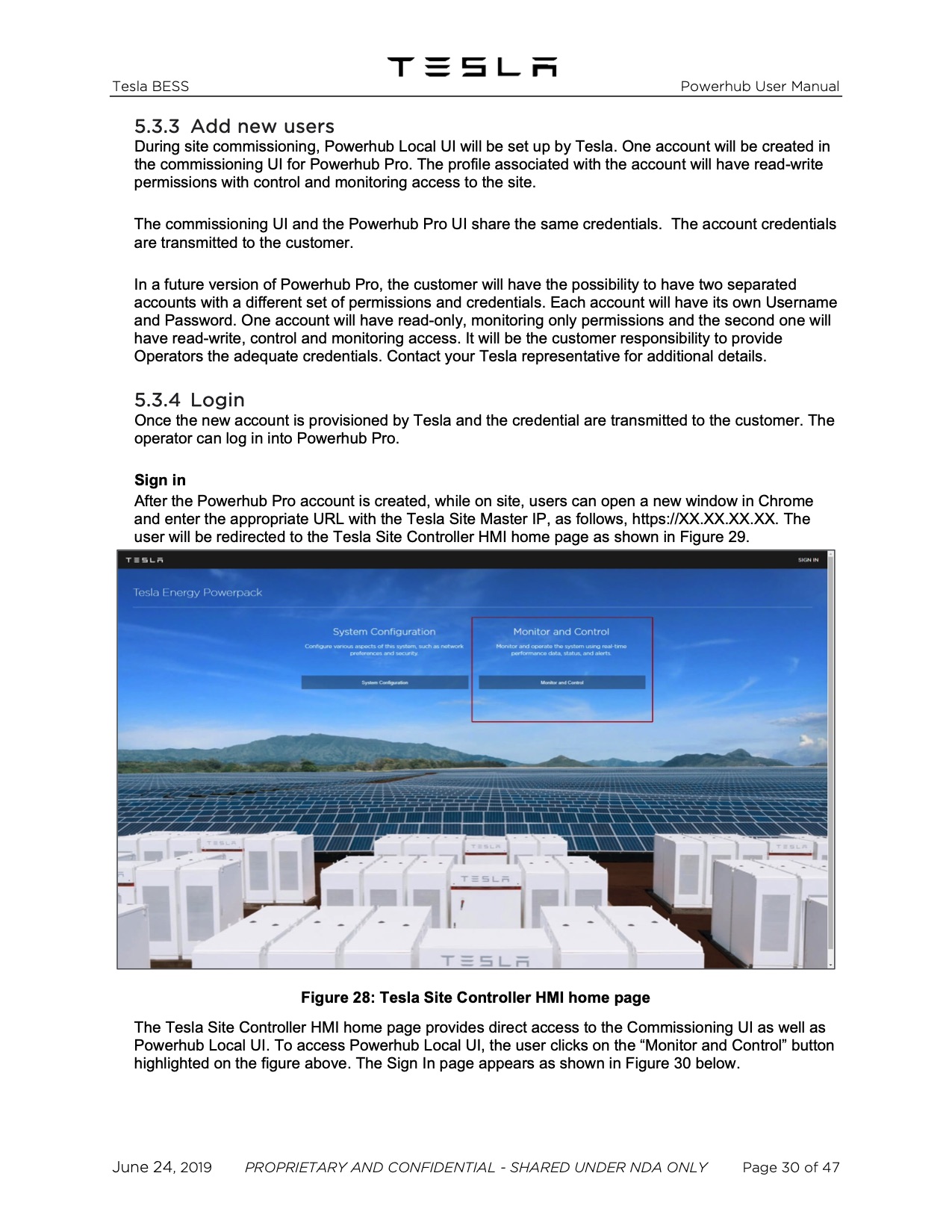
After the Powerhub Pro account is created, while on site, users can open a new window in Chrome and enter the appropriate URL with the Tesla Site Master IP, as follows, https://XX.XX.XX.XX. The user will be redirected to the Tesla Site Controller HMI home page as shown in Figure 29.
Figure 28: Tesla Site Controller HMI home page
The Tesla Site Controller HMI home page provides direct access to the Commissioning UI as well as Powerhub Local UI. To access Powerhub Local UI, the user clicks on the “Monitor and Control” button highlighted on the figure above. The Sign In page appears as shown in Figure 30 below.
June 24, 2019 PROPRIETARY AND CONFIDENTIAL - SHARED UNDER NDA ONLY Page 30 of 47
|
